(LVGL)案例预览 页面滚动吸附
页面滚动吸附
/**
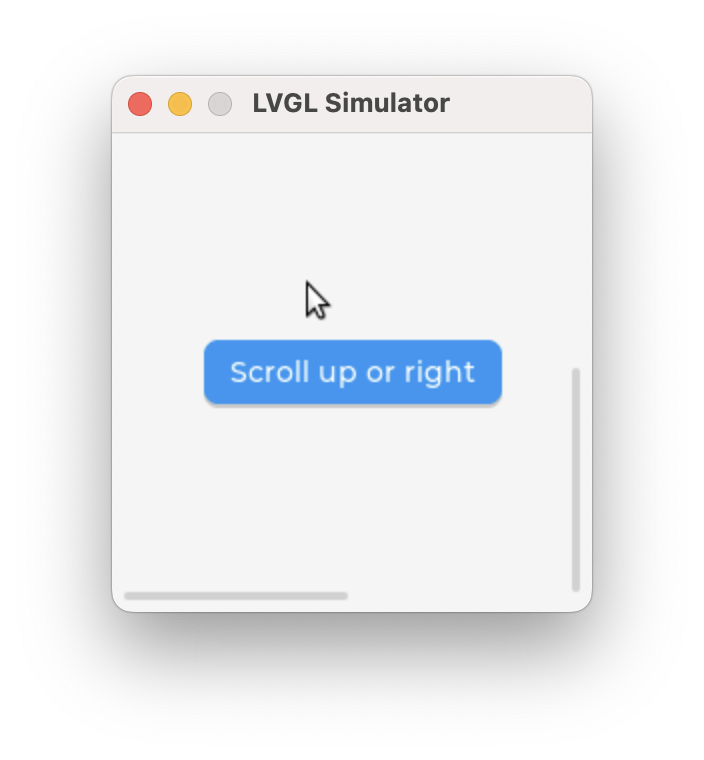
 * Create a 2x2 tile view and allow scrolling only in an "L" shape.
 * Demonstrate scroll chaining with a long list that
 * scrolls the tile view when it can't be scrolled further.
 */
void lv_example_tileview_1(void)
{
    lv_obj_t * tv = lv_tileview_create(lv_screen_active());

    /*Tile1: just a label*/
    lv_obj_t * tile1 = lv_tileview_add_tile(tv, 0, 0, LV_DIR_BOTTOM);
    lv_obj_t * label = lv_label_create(tile1);
    lv_label_set_text(label, "Scroll down");
    lv_obj_center(label);

    /*Tile2: a button*/
    lv_obj_t * tile2 = lv_tileview_add_tile(tv, 0, 1, (lv_dir_t)(LV_DIR_TOP | LV_DIR_RIGHT));

    lv_obj_t * btn = lv_button_create(tile2);

    label = lv_label_create(btn);
    lv_label_set_text(label, "Scroll up or right");

    lv_obj_set_size(btn, LV_SIZE_CONTENT, LV_SIZE_CONTENT);
    lv_obj_center(btn);

    /*Tile3: a list*/
    lv_obj_t * tile3 = lv_tileview_add_tile(tv, 1, 1, LV_DIR_LEFT);
    lv_obj_t * list = lv_list_create(tile3);
    lv_obj_set_size(list, LV_PCT(100), LV_PCT(100));

    lv_list_add_button(list, NULL, "One");
    lv_list_add_button(list, NULL, "Two");
    lv_list_add_button(list, NULL, "Three");
    lv_list_add_button(list, NULL, "Four");
    lv_list_add_button(list, NULL, "Five");
    lv_list_add_button(list, NULL, "Six");
    lv_list_add_button(list, NULL, "Seven");
    lv_list_add_button(list, NULL, "Eight");
    lv_list_add_button(list, NULL, "Nine");
    lv_list_add_button(list, NULL, "Ten");

}
License:
CC BY 4.0